Author: admin

  • Top Free Mobile Games for Android in 2026

    Top Free Mobile Games for Android in 2026

    Person playing a free mobile game on an Android phone

    One evening my cousin thrust his phone at me, beaming — forty-odd games crammed onto it. Forty. I scrolled for a while, then asked him which one he actually played. He thought about it. “Two,” he said. “Maybe three.” That stuck with me, because my own phone used to look the same — a graveyard of icons I downloaded at 1 a.m. and never opened again. Free games are easy to collect. Hard to keep. This guide is about the ones that survived on my phone, or on the phones of people I actually know, and the ones I deleted with zero regret.

    One rule before anything else, and I am not flexible on it: Google Play only. Not a link a friend forwarded. Not a site promising the paid version for free. Google Play, developer name checked, done. I’ll explain the why later — short version: that rule alone saved me from every dodgy download I almost tapped.

    How I stopped hoarding games

    My fix now is embarrassingly basic. I ask: where will I play this? Not in theory. In real life. On the bus? In a queue at the bank? Sofa after dinner, charger in, house quiet? Different game from a bank queue. Once I picked by the moment, not by trends, the clutter stopped growing. Two or three games. That is the sweet spot, for me at least. More than that and I just rotate through guilt.

    Also — and I cannot believe I have to say this, but here we are — a puzzle game asking for your contacts is not normal. I check permissions now the way I check expiry dates on milk. Quickly, automatically, no debate. If something looks off, I skip the game. There are too many good ones to waste time on a shady one.

    The short list, game by game

    Genshin Impact, if you want a world to get lost in. Huge. Beautiful. Demanding, in every sense.

    PUBG Mobile, if you like your heart rate up and your squad on voice chat.

    Call of Duty: Mobile, if you want shooter matches that start fast and end faster.

    Roblox, if you get bored of one game quickly and want a thousand instead. Quality all over the place, but that is half the charm.

    Brawl Stars. Three-minute matches. Dangerous, that. “Just one more” has stolen entire evenings from me.

    Stumble Guys, for when you want to laugh at yourself falling off a ledge with forty strangers.

    Subway Surfers. The one your mum probably plays. No shame in it. It is good.

    Clash Royale, for people who like outthinking someone in three minutes flat.

    Pokémon GO, for turning a dull evening walk into something you actually look forward to.

    Candy Crush Saga, for those dead stretches — clinic chairs, wedding speeches — when your brain just wants to idle.

    That is the lot. Not a ranking — I would argue with myself about the order if I tried — just the ones worth your storage. What’s on offer moves around — country to country, update to update — so give the Play listing where you live a quick look before you take any of this as gospel.

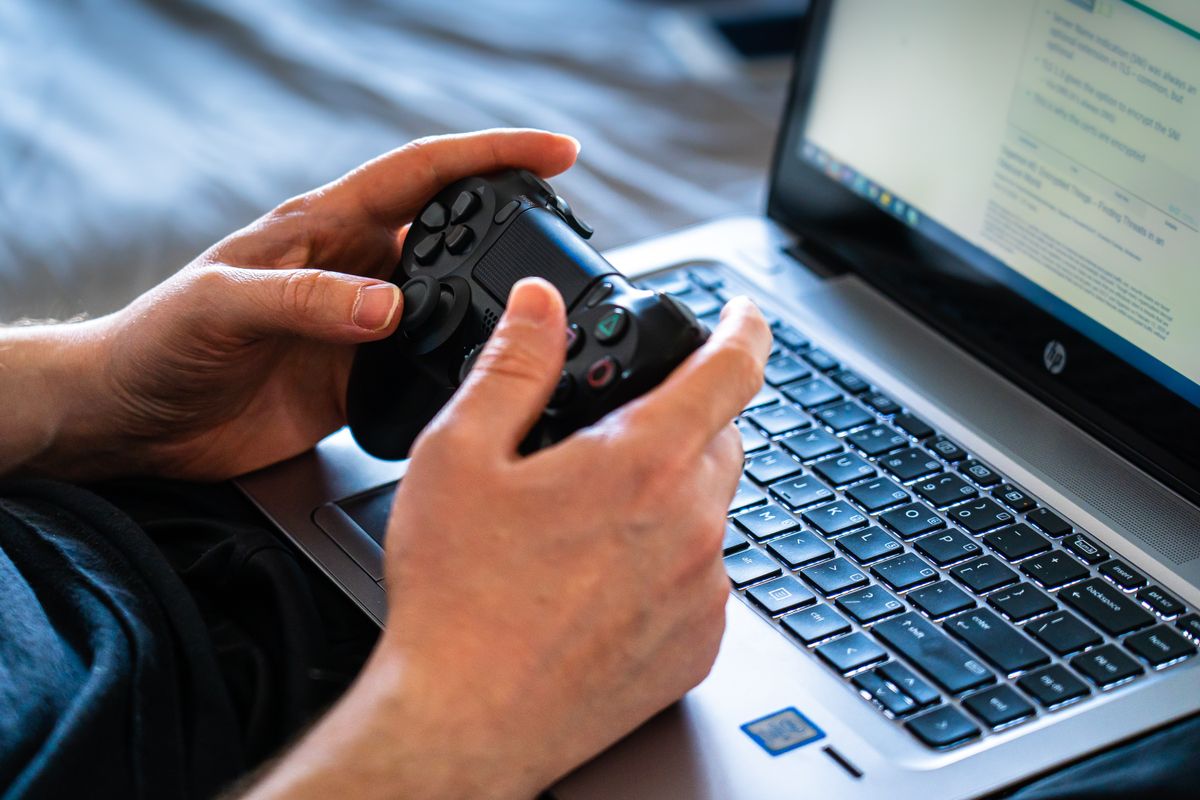
    Hands holding a smartphone for mobile gaming

    Best free action games for Android

    Genshin Impact: pretty enough to fool you

    Right, Genshin — and forget the screenshot parade for a minute, because that’s all most people show you. Yes, it looks absurdly good on a phone. Open world, story, characters to collect, the works, free to start with optional purchases. But — and this is the part people skip — it is greedy. Not just with storage, though that too, but with your evening, your focus, your patience for yet another menu screen. Me? I look at it more than I actually play it. Some nights I boot it up, wander a gorgeous hillside ten minutes, close it — and feel drained, like I’d filed paperwork, not played.

    Two first-week regrets: that monster first download should’ve been on Wi-Fi, and the graphics should’ve dropped the moment the phone went warm. Nobody grades your settings. And go slow on the opening story — I raced it, caught half of it, then retraced my steps like an idiot. Slow suits this game.

    PUBG Mobile

    PUBG Mobile is up to 100 players, one map, weapons to scavenge, last one standing. Solo is stressful. Squad is stressful and funny, which is better. These days I barely touch it alone — it is a two-friends-on-voice-chat game, and the post-match group chat replaying every dumb death is half the reason I keep coming back.

    My boring-but-real advice, then: phone charged, connection steady, and never — never — queue up five minutes before you have to be somewhere. Guilty: once, in a rickshaw, battery red, match live — I juggled traffic and a firefight, stressed about both, enjoying neither. New? Live in training modes a while. Keep graphics low until your thumbs know the controls blind. As for ranked: it will still be there next week. Your ego, though — that heals a lot quicker if you don’t throw it straight into ranked on day one.

    Call of Duty: Mobile — for when you’ve only got fifteen minutes

    Fifteen spare minutes and I want something with a bit of bite? This icon. Every time. Proper multiplayer, battle royale, controls you can twist until they fit your thumbs, casual or ranked depending on the day. Best of all, it starts fast — I have deleted games that loaded longer than I played them.

    One gift for every new player: the sensitivity slider. Ten undisturbed minutes fiddling with it, and gunfights stop feeling random — you start winning the ones you actually aimed. Before that, weeks on defaults, dropping fights I should’ve won, blaming my thumbs, my phone, the lag — everything except the one setting sabotaging me. After one slider? Still not good. Just no longer embarrassing — that jump felt like a promotion.

    Smartphone and headphones on a desk for mobile gaming

    Best free multiplayer and party games for Android

    Roblox — not a game, a whole arcade

    Recommending Roblox feels odd, because calling it ‘a game’ is wrong from the start. Think doorway, not game: thousands of little games behind it, built by ordinary players — clever, broken, or so bizarre you stare. My nephew builds things in it for hours. I mostly wander into obstacle courses and fall off. Both valid.

    Parents, though — check the settings. Account controls, chat controls, all of it, before a younger player gets loose in there. And the free-Robux links? Ignore them forever. I have watched a kid in my extended family lose an account to one, and getting it back was a whole saga nobody needed. These days my rule is blunt: an offer that didn’t pop up inside Roblox itself? Fake until it proves itself otherwise — and it almost never does.

    Brawl Stars — the queue game that eats evenings

    Brawl Stars is my queue game. Bank queue, clinic waiting room, food delivery taking forever — Brawl Stars. You pick a Brawler, you fight 3v3 or in other modes, match over in minutes. The problem, and I say this fondly, is that “one match” is never one match. I have missed my stop because of this game. Twice. I am not proud, I am just reporting facts.

    With friends it is better, because you actually coordinate instead of three strangers running in three directions. On my own, though, I wasted about a week. I burned through Brawler after Brawler that week, till two stuck — one charging headfirst into fights, one hanging back to poke. Stopping the copycat picks — playing my own way, unfashionable or not — finally settled it.

    Stumble Guys — gloriously shallow, on purpose

    What hooks me is the honesty: zero pretence of depth. Just strangers, swinging hammers, gaps to misjudge — everyone tumbling, one lucky soul crossing first while the rest of us crack up. At a family dawat last year, four of us took turns on a single phone, and my khala — the same khala who swears she has never played a game in her life — wiped the floor with all of us, then shrugged and called it beginner’s luck. Beginner’s luck, my foot. She just hides that side at other events.

    What I like most is how little losing costs here. Simple buttons, a round over before you can get annoyed, and a loss just rolls into the next start screen. Plenty of games punish defeat. This one shrugs.

    Best free casual games for Android

    Subway Surfers — the one that refuses to die

    Subway Surfers is the cockroach of mobile games, and I mean that with love. It survives everything — old phones, bad connections, short attention spans. The loop is dead simple: sprint down the tracks, dodge the trains, hoover up coins, see how far you get before it all goes wrong. My ancient phone, the one that choked on anything with real 3D graphics, ran this happily for years without a single complaint.

    It is also the game I keep spotting in waiting rooms. Nobody opens it to impress anyone — the wait is long, the phone is old, and ten pleasant minutes is ten pleasant minutes.

    Clash Royale — brains over thumbs

    Take a card deck, add a live battle, and you have Clash Royale in a sentence: pick your troops and spells, face another player, and the whole thing is done before your tea goes cold. I like it because it rewards thinking over reflexes — my reflexes peaked years ago, possibly never — and a clever deck beats a fast thumb more often than people admit.

    But I have a warning, from personal budgeting experience: the spending creeps. One chest here, one pass there, and suddenly you have spent real money chasing a card you did not even want that much. I cap myself now, strictly, and the game is just as fun without paying. Work out your number in advance, calmly, before you start — not in the middle of a match with the shop flashing in your face.

    Pokémon GO — the walk that got interesting

    If you had told me a phone game would improve my evening walks, I would have laughed. Yet here we are: Pokémon GO has me wandering the neighbourhood, catching things, spinning stops, turning up for events. Ten minutes genuinely counts, and it goes oddly well with errands — I have caught things while buying vegetables.

    One plea, though, from someone who has watched this go wrong: look up. I’ve watched someone stroll straight into a lamppost, hypnotised by the screen. Driving and playing don’t mix — nor does wandering unknown streets at night, eyes locked on the screen. The game can wait till morning. A sprained ankle can’t — and it won’t care that your phone came out fine.

    Candy Crush Saga — the waiting-room classic

    Waiting room? Candy Crush Saga, every time. Swap sweets, line them up, clear the board — job done. Once, at a wedding, I matched sweets under the table through the whole speech section. Zero regrets. It’s soft, simple, runs on phones that should’ve retired years ago, and only asks you to match colours.

    It sells extra moves and boosters, like all of these games sell something. The early levels do not need them. Later levels do not really need them either, whatever the game implies when you are one move short. Decide upfront what you will spend — zero is a perfectly good number — and do not let a flashing “just one more move” button change your mind.

    Friends playing a mobile game together on a phone

    Tips, learned the hard way

    Third time saying it, because it counts: stay inside Google Play, and read the developer name letter by letter. Copycats live off one-letter swaps and stolen icons. I nearly fell for one — only pausing to actually read the developer line saved me. Pause. Read. Then install.

    APK sites? No. I know the temptation — a game not available in your region, a friend sends a link, it looks easy. Unofficial downloads can hide malware, or old versions, or modified games that get your account banned outright. I have seen the aftermath. Not worth it, ever, for a free game you can wait for or replace.

    Storage and battery are the boring limits nobody respects until they hit them. Big games eat both. Delete the ones you stopped playing — yes, even the one you swear you will return to, you will not — and drop the graphics if your phone gets hot. Downloads and updates go on Wi-Fi. Mobile data bills for a multi-gigabyte update are a special kind of pain, and I have felt it.

    Spending limits deserve their own paragraph, especially on shared phones. Kids, younger siblings, anyone who borrows your phone — set up Google Play’s purchase controls before they need them, not after a surprise charge. And keep the phone and Play Store updated while you are at it. Updates are dull. Security holes are worse.
    Phone charging on a table after mobile gaming

    Frequently asked questions

    Do these games actually cost nothing?

    Download and play: yes, free on Google Play. Nearly all sell extras — items, passes, currency — but none of the core games demand payment. Worth a glance at each store page first, though — ‘free’ hides a whole spectrum of in-game shops, and a few of them nudge a lot harder than the rest.

    Do these games need a beefy phone?

    Depends which game, obviously. Genshin Impact and PUBG Mobile want a capable phone with room to breathe. Subway Surfers and Candy Crush Saga will run on phones that struggle with everything else. If a game stutters, drop the settings before you blame the phone — that fixes more than people think.

    Is it safe to download free games from Google Play?

    Safer than anywhere else, by a mile. Google Play is the official store, with actual review processes. That does not mean switch your brain off: developer name, reviews, permissions, all still worth checking. And any random website offering a paid game for free is lying to you. That is not a grey area — that is the whole trick, right there in the open.

    Will these games work without internet?

    Some of the casual ones will, sometimes. Most multiplayer and live-service games will not — they need a connection, and no amount of hoping changes that. Read the game’s description, and even better, try it yourself before a journey. I once took a game on a long bus ride because it looked single-player. It was not. Long ride, dead screen, lesson learned.

    Conclusion

    After all that downloading and deleting, this is the crew that stuck around: Genshin Impact when I want to get lost somewhere pretty, PUBG Mobile and Call of Duty: Mobile when I want a shooter, Roblox and Brawl Stars when other people are involved, Stumble Guys when I need a laugh, and Subway Surfers, Clash Royale, Pokémon GO and Candy Crush Saga for the quieter moments. Honestly, between them, most moods are covered without spending anything.

    My only real advice, boiled down: keep it to a few games, get them from Google Play, and decide your spending limit before the shop decides it for you. Do that, and free Android gaming stays what it should be — fun, not a storage warning, a dead battery, or a bill you did not expect.

  • Best Free Offline PC Games

    Best Free Offline PC Games

    Best Free Offline PC Games

    Laptop for offline PC gaming at home

    The evening that taught me about offline games was not dramatic. It was just a power cut, mid-match, in a house where the Wi-Fi router takes about ten minutes to come back even after the lights do. My online game sat there, frozen, then logged me out, then told me — politely — that it could not reconnect. I stared at my laptop for a bit, annoyed at nothing in particular, and then opened a little strategy game I had installed months earlier and never really played. It just worked. No login, no loading bar begging for a connection, no error. I played for two hours in the dark, by the light of the screen, and honestly that evening was better than the match I had lost.

    That is the whole case for offline games, really. Not everyone has fast, steady internet, and even people who do lose it sometimes — a shared house connection that crawls at night, a train journey, a trip where the hotel Wi-Fi gives up at exactly the wrong moment. Free games are everywhere, but here is the catch I learned the slow way: a lot of free games look like single-player games and still refuse to start without the internet. This guide is about the ones that actually do not need it, and about the difference between a game that is truly offline and one that only pretends to be.

    Offline is not one thing — I found that out the annoying way

    I used to think offline meant offline. Then I downloaded a game for a long bus journey, opened it on the bus, and got a login screen. So let me save you that particular embarrassment, because there are really three different situations hiding under the one word.

    First, the genuinely offline ones. You download them, you install them, and after that the internet could vanish completely and the game would not care. Most of the open-source games in this guide are like that. They save on your own machine, they start without asking anyone’s permission, and they feel almost old-fashioned in how self-contained they are.

    Second, there are the Steam offline mode games, which are a halfway house. Plenty of single-player titles on Steam will run with no connection — provided you opened them at least once while online, and provided you switched Steam into offline mode yourself. I lean on that trick myself, and most of the time it holds. The catch is the exceptions — a title that wants to verify your account online, or one whose saves live only in the cloud, or one that runs an anti-cheat check the moment it opens. Any of those can still dig its heels in and refuse, even after you did everything right.

    And third, the online-only ones — most free multiplayer games, anything live-service. Connection, every time, no exceptions. I once spent ten minutes toggling settings on one, hoping for a workaround. It just sat at the login wall.

    Which brings me to the one check I now do without fail: before a trip, or an evening on a flaky connection, I open the store page and read the requirements line. If it says an internet connection is required, I believe it now. I learned that on a train, watching a login screen refuse to budge for two hours. Long journey. I do not repeat it.

    The short list, in plain words

    Quick version first. No Wi-Fi, no problem? Start here.

    OpenTTD first, if you like slow building — railways, buses, a company that grows while you watch. Endless Sky next, for drifting between star systems at your own pace. Then, if your mood is closer to “I just want to laugh for ten minutes,” SuperTuxKart does that job. The thinking games come after: Warzone 2100 with its science-fiction unit design, 0 A.D. with its ancient towns and armies, and Battle for Wesnoth, where every move gets the full weight of your attention. Last on my list, and deliberately last, is Cataclysm: Dark Days Ahead. It is deep, it is brutal, and honestly it will put some people off within an hour — but the readers who click with that kind of unforgiving survival game tend to click hard, so it earns its place.

    All of them are free from their official sources, not cracked copies of paid games, and none of them needs an online account just to start playing. That last bit matters more than it sounds.

    Strategy games that do not need the internet at all

    Person playing a strategy game on a laptop

    Battle for Wesnoth

    If someone asked me for one offline game to start with, Wesnoth would probably be it. It is a turn-based fantasy strategy game — you move armies around a grid, work through campaigns, read the story bits between battles — and in single-player mode the whole thing runs offline, saves and all. Turns, not reflexes, decide everything, and the flat 2D art means my ageing laptop never breaks a sweat — a kindness I only started valuing once that machine got slow.

    What keeps me coming back is how little it hurries you. I can sit with one battlefield decision the way you would sit with a chess problem, turning it over for five minutes before committing, or I can dip in for ten minutes and walk away, or — and this happens more than I admit — I can look up from a campaign and realise the whole evening has gone and my tea is stone cold beside me. All three versions of that evening have happened to me, more than once. It is also a good laptop game for exactly that reason — no fast connection, no powerful graphics card, just you and a map.

    0 A.D. — ancient empires, no Wi-Fi needed

    Forget modern warfare for a bit. Here you are gathering wood and stone, raising a town from nothing, training soldiers, then sending them across the map at whoever lives over there. Offline single-player against computer opponents is where it shines — that is what makes it a genuine offline pick, not a multiplayer title dressed up as one.

    One practical tip from my own experience: if your PC is older, keep the maps small at first. My own lesson came from doing the opposite. I loaded up the biggest map I could find on a laptop that was already wheezing, added hundreds of units, and then sat there watching everything stutter along frame by painful frame. At that point the “game” was just a jerky slideshow and me getting annoyed. Now I do the opposite — a smallish map, units I can track, everything moving when I click. A battlefield I can control beats a giant one that crawls.

    Chess board representing turn-based strategy games

    Warzone 2100 — the workshop game

    I never cared much for commanding armies someone else built for me. Warzone hooked me for the opposite reason: you spend your time in a workshop, not on a parade ground. Bolt a weapon onto a chassis. Swap the propulsion and watch the whole vehicle behave differently. Unlock a new tech and suddenly the scrappy force you cobbled together starts feeling like yours, properly yours. Real-time, futuristic setting, all of that — but the design table is the real game. And once it is on your machine, no connection needed, full stop.

    It rewards patience, though. Do the early campaign missions first, get a feel for how research and unit design fit together, and only then go chasing the harder missions. Me, I skipped ahead on my first run. Got flattened. Went back, learned the systems properly, and only then started winning. Mortifying at the time. Useful, in hindsight.

    Racing and simulation, for when strategy feels like homework

    SuperTuxKart — light, silly, instant

    When my brain is tired and I want fun without homework, this is the one I click. A free kart racer with cartoon mascots, daft tracks, power-ups flying everywhere, computer rivals — two minutes in and you already know how it works. That makes it a great offline game for short sessions, or for playing with family, where nobody wants a tutorial first.

    It is also, quietly, a useful test game. If SuperTuxKart runs smoothly on your machine, most other light offline games probably will too. I have used it that way on a borrowed laptop more than once, just to see what the machine could actually handle before downloading anything bigger.

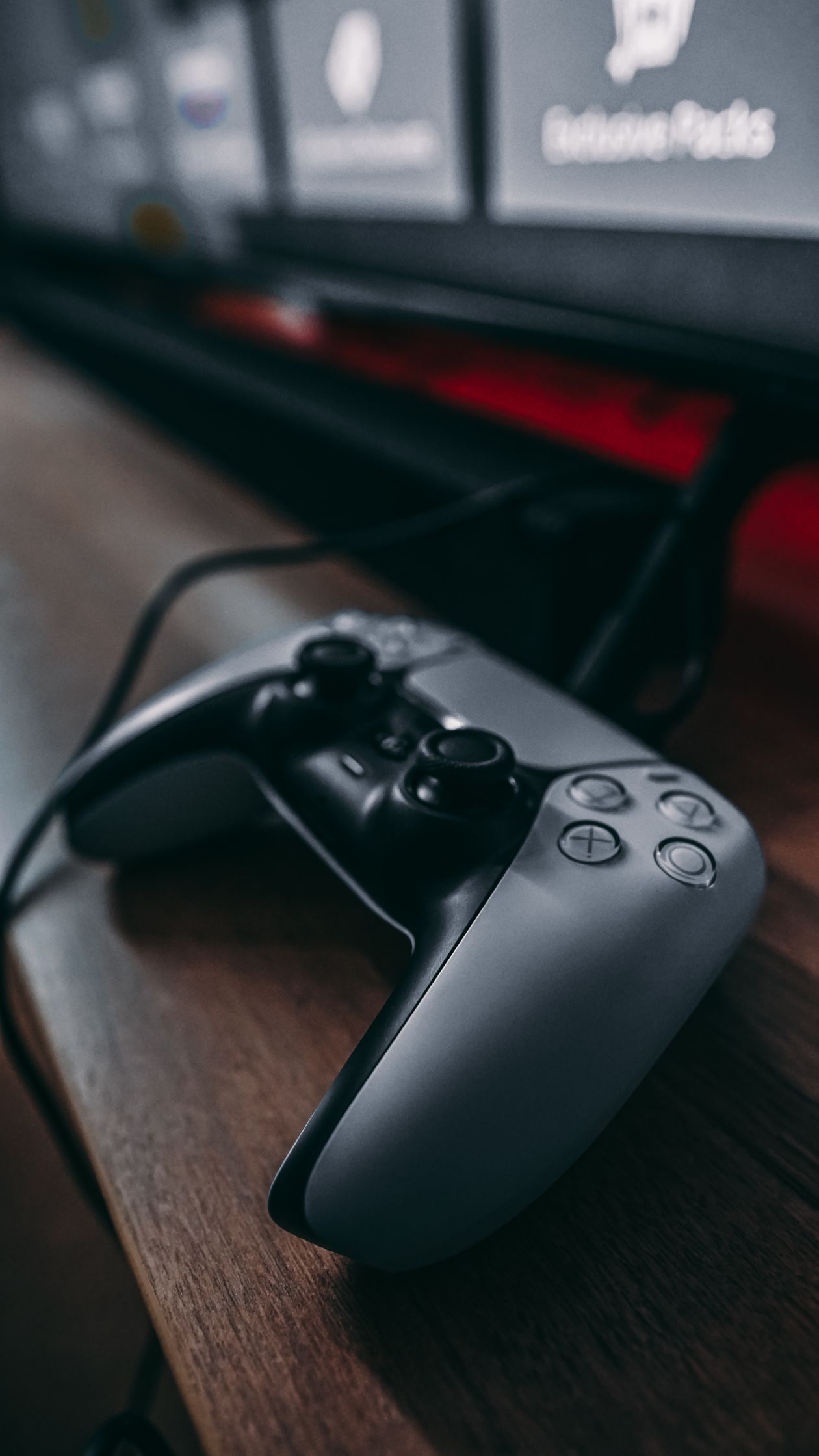
    Game controller on a desk for racing games

    OpenTTD

    If other games wind you up, this one winds you down — and I say that as a compliment. Think back to Transport Tycoon and you have the shape of it: a road here, a rail line there, an airport when you can afford one, a ship route linking a factory to a town that needs its goods — and over hours, that little firm of yours starts to feel like a real business you built with your own hands. Nobody rushes you, nobody fails you. I once left a map untouched for six days, came back on a Saturday, and my trains were still trundling along exactly where I had left them, like nothing had happened.

    You can chase the complexity — signalling, timetables, routes tuned until the network hums — or simply not. Plenty of my sessions are just tea and twenty minutes watching my trains trundle through valleys I planned. Friends laugh at that. Let them. After the kind of day that leaves your head buzzing, sitting back and watching your own little railway run itself is about as close to a reset button as I have found.

    Endless Sky — my go-to when home feels too small

    There are evenings when I am not after a test of skill at all, just somewhere else to be for a while, and this is the game I open then. My first ship was a joke of a thing — slow, paper-thin, parked at the edge of a galaxy that gave me zero directions. Most nights I just fell into a groove: drop cargo off at some sleepy port, wander off to chart a system nobody cared about, grab any job that paid, and stash the money toward a ship that could actually take a hit. Once it is installed, the whole thing runs without a connection, which is the entire reason it never leaves my travel laptop.

    Day one? Huge. Nobody gives you a list, nobody holds your hand. So: boring cargo hops first, familiar systems only, until star-hopping feels normal — then, and only then, the rough neighbourhoods. I broke my own rule once, wandered into a system my little ship had no business entering, and watched it get shredded in under a minute. The ship was replaceable. My dignity took a bit longer.

    Steam offline mode, honestly explained

    Steam offline mode deserves a fair mention, because it does help — just not as much as people hope. How I actually do it: on a normal evening with the internet working, I open Steam, run the game I want, wait for any update to finish, and make sure my progress is saved properly. Then, if I remember — and I do not always — I switch Steam itself into offline mode before the connection goes away. Do that, and plenty of single-player Steam games will open and run later with no internet at all, as if nothing changed.

    But — and this is the bit that trips people up — games with online accounts, online-only saves, or anti-cheat checks may still refuse to start, even in offline mode. If being able to play offline is the entire point of your search, my honest steer is the truly offline games above. No wrestling with offline mode, no login gate at startup — they just open and play.

    How I prepare for an offline evening

    Short section, this one — just the little routine I go through whenever a trip is coming up, or I know the connection is going to be unreliable that night. Step one, always: while the internet is still there, I get everything downloaded and patched. Install the game, launch it once, let it finish updating. Every bit of it, before I even think about offline mode. There is nothing worse than discovering an update is waiting when you have no connection left to fetch it with.

    Then I check where the game actually saves. If it only saves to the cloud, that is a problem for a long offline stretch, so I want local saves on my own PC. After that, I keep the library small on purpose. Two or three genuinely offline games beat twenty online-only games on the day your connection drops — I have tested this theory, unwillingly, and it holds up.

    Then, where you get the games — I repeat this in every guide because it keeps biting people: open-source games from the developers’ own sites, Steam games from Steam. Any repack claiming it can make an online-only game work offline is trouble in a nice wrapper: usually pirated, sometimes carrying something nasty, never worth a free game. Last habit: do the dry run at home first. Sofa, Wi-Fi off, game launched, before you need it somewhere you cannot fix a problem. Finding out on a train that your game will not start is a rotten way to spend a journey. I speak from experience.

    Questions readers keep asking

    Is offline play possible with free Steam games?

    Yes, some — the single-player ones, but only after you have run them at least once while online and then put Steam into offline mode yourself. Everything else is another matter: free multiplayer games and live-service titles want a connection every single time you play, and I have never found an offline setting that changes that. My advice stays the same as everywhere else in this guide — read the store page first, and run your own at-home test before you count on it. I cannot stress the testing bit enough, after my own bus-journey mistake.

    Which games are truly free and truly offline?

    Honestly? What’s on my laptop right now: Wesnoth for thinking, 0 A.D. for ancient battles, SuperTuxKart for laughs, OpenTTD for building, Warzone for tinkering, Endless Sky for vanishing. Six games. Zero cost, zero login after install, all from official sources. Strategy, racing, transport, space — free. Still feels like a loophole.

    Do offline games need an account?

    Open-source ones? Install and play, no account, no login. Steam’s the wrinkle: downloading may still want a Steam account, even if the game then runs offline happily. Tiny detail — but it matters when you’re setting up someone else’s machine.

    Will offline games work on a low end PC?

    Most of the games in this guide are older or use simple graphics, so they tend to run well on modest machines — that is part of why I like them. Still, do check the requirements on the official download page rather than taking my word for it, and if a game feels slow, start with smaller maps or lower settings. That fixed more problems for me than any upgrade ever did, at least for these games.

    Conclusion

    Offline PC gaming isn’t dead — it just rewards picking right. Wesnoth and 0 A.D. for strategy, SuperTuxKart for racing, OpenTTD for building, Endless Sky for space — all playable after install, connection or not.

    Short version: official sources only, test offline at home first, keep a few truly-offline games ready. Then a dead connection, a trip, or another power cut won’t stop you playing. It didn’t stop me that night in the dark — if anything, it made the quiet games better.

    Person relaxing while playing an offline game on a laptop
  • How to Download Free Games on PC Safely

    How to Download Free Games on PC Safely

    Picture this: a mate rings me up, voice all shaky, because his laptop has gone rogue — tabs popping open by themselves, like the thing is haunted. He hadn’t been anywhere dodgy, mind. He’d just fancied a free game, googled its name, and hammered the biggest green button on the page. Turns out that button wasn’t the game at all. It was a bundle of junk he never wanted, and mopping it up ate his entire evening.

    I nearly did the same thing years ago, by the way. I was in a hurry, the page looked right, the game’s name was right there at the top, and my finger was already hovering over Download when something felt off — too many buttons, all of them shouting, none of them quite matching. I closed the tab. That gut feeling saved me an evening like my mate’s, and honestly, that is most of what safe downloading actually is: slowing down for two minutes instead of clicking the loudest button.

    So forget a dry manual. What follows is my own routine these days — the places I trust, the checks I run through, and the red flags I only learned to spot after nearly getting burned myself.

    Where I actually get free games

    Right, the dull-but-safe bit first — and dull is genuinely the point. Most of my free games live on Steam. Grab their app, set up an account, and everything happens inside it: the page spells out what’s free, patches roll in on their own, and I’ve never once needed to go rummaging around the open web for a Steam title. That lack of drama is the whole appeal.

    Laptop showing an official game store page

    Then there is the Epic Games Store. Same idea: their own app, their own store pages. Some games there are free to play all the time, and every now and then Epic gives a game away for a limited time — but only ever claim those inside the official app or website, and check the dates on the page itself, because a screenshot of an old offer floating around social media is not the same thing as a live one.

    GOG is the quieter one I forget about until I want something older. It is run by CD Projekt, and its thing is DRM-free games, which just means the game does not need a separate launcher nagging you after you install it — though you still download it from GOG itself, obviously. If you like classic or older titles, it is worth a look.

    And then there are the games that do not live in a big store at all. Some small indie games are just given away free by the people who made them, and open-source games like 0 A.D. and Battle for Wesnoth come straight from their own projects. For those, the rule is simple and strict: the developer’s own website, and nothing else. If you found the link on some random blog, go and check it against the developer’s own page first, because lookalike domains — same game name, one letter different — are a real thing, and I have seen one that looked convincing enough to fool me for a good ten seconds.

    And the last one, already baked into every Windows PC: the Microsoft Store. Truthfully? Big games aren’t what I go there for — Steam and Epic have that covered in my house — but for a quick casual game it’s still a proper, official shop, and I’ll take official over random any day of the week.

    If I had to scribble the whole thing on a napkin: Steam does the heavy lifting, Epic chips in with freebies now and then, GOG covers the older DRM-free stuff, Microsoft Store handles the casual corner, and a developer’s own site only counts when that developer is actually handing their own game out free. Step outside that little circle and you’re not instantly in danger — but a site has to prove itself to me first, and frankly most of them can’t be bothered to try.

    My slow, slightly fussy download routine

    Here is my actual routine now, and I will admit it sounds fussy until you have spent an evening uninstalling toolbars. First, I decide what I want to play before I open anything. Then I search for that exact name inside the store app itself — not in a search engine, where the top result might be an advert for a copycat site.

    Next, and this is the bit I used to skip entirely: I sit and read the store page properly. Whose name is on it as publisher — and does it actually match the company I’d expect, letter for letter? Does “free” on that page mean genuinely free, or free-with-a-catch? What’s bundled in, what’s the age rating, and would my machine even cope with it? A page dangling a normally-paid game for nothing isn’t a bargain. It’s somebody else’s listing dressed up in that game’s name. I shut it.

    After that it is straightforward: I hit Install or Get inside the store, and I let the store do the installing. Steam, Epic and GOG handle updates too, which is half the reason I trust them — I do not have to go back to the internet every time something needs patching. Extra installers from random websites? I don’t touch them — unless the official store page itself points me there, which, honestly, I can’t recall ever happening.

    Once it’s installed, I fire the game up once — just a quick look, does it play like it should, did anything uninvited hitch a ride? From a real store, almost never. Still, the check takes half a minute, so why skip it. And then the account stuff, which sounds dull and matters more than any of this: a strong password I do not reuse anywhere else, two-factor authentication switched on wherever the store offers it, and my login details shared with absolutely nobody. My mate from the start of this article? He got his account back, eventually, but only after weeks of emails. I would rather spend the two minutes now.

    One more rule, and it is non-negotiable for me: if a download ever asks me to turn off my antivirus, switch off Windows security, or install some strange toolbar to proceed, I stop right there. A legitimate free game has never once needed me to weaken my own computer to install it. That request is the whole warning, in one sentence.

    Spotting the fake sites before they spot you

    Fake download sites are good at looking real now, I will give them that. They use the game’s name, a giant Download button, and a promise like “100% free full version” for a game that is definitely not free anywhere legitimate. The first time I landed on one, I genuinely thought I was in the right place — until I counted the download buttons. There were four. A real store page has one clear install button, not four flashing ones with the actual download hiding somewhere in the adverts.

    Padlock symbol representing secure downloads

    So here is what I look for now, and it has not failed me yet. First, am I even in an official store? If I searched for a game and ended up on a file-hosting site, or a blog covered in download buttons, or a page drowning in pop-ups, I leave — no second chances, no “but maybe this one is fine.” Second, does the site ask me to disable my security? Covered that already: instant close. Third, watch the installer itself — is it trying to slip in bonus programs nobody asked for? Kill it there. Don’t just mash Next and hope. Fourth, can I find the developer and publisher named anywhere? A real game page says who made it. A fake one hides behind vague wording, or says nothing at all. And fifth, the oldest test in the book: does the offer sound too good to be true? A brand-new paid game, free, on a site you have never heard of — that is not generosity. That is almost always pirated, fake, or infected, and sometimes all three at once.

    When I am in doubt — and I still am, sometimes — I do the simplest thing: close the site, open Steam or Epic, and search there. No luck there? Then it’s the developer’s own site or their official social pages — a genuine link, or nothing. And if even that turns up empty, I simply leave it for another day. Honestly, with this many legit free games around, burning an evening on a shady one feels daft.

    Why cracked games are a bad deal, even when they “work”

    I get the temptation, honestly I do. A paid game, free, right there. But cracked games, repacks and key generators have a price, it is just not printed on the page. They are illegal, for a start, and they are one of the most common ways passwords get stolen or unwanted software gets planted on a PC. They can get your game accounts banned too, and unlike my mate’s toolbar evening, a banned account does not always come back. Plus they do not get official updates, so they break more often, and playing them online is a mess anyway.

    And here is the thing I keep coming back to: there are so many legal free games now — on Steam, on Epic, on GOG, from independent developers giving their work away — that the risk feels pointless. A legal free game might not be the exact title you had your heart set on, but it will not steal your passwords, and it will still be there, updated, next month. That trade has never once felt close to me.

    The boring habits that keep my PC safe while gaming

    Safe downloading is half the story. The other half? Dead boring — which is exactly why most people skip it. Windows and my drivers stay updated on my machine, not because updates are fun, but because they plug security holes; leave a PC unpatched and you’re basically leaving the back door open. Windows Security stays on too. It ships with Windows, it covers most players fine, and switching it off just because some download page asked you to is the one move you should never make.

    Passwords: I don’t recycle them between gaming accounts. I know, I know, it sounds like a lecture — but picture it this way. One account gets broken into, and a reused password is a spare key that suddenly fits every other lock you own. Two-factor is the deadbolt on top of that — Steam Guard, Epic’s take, whatever your store provides — and honestly it takes barely a minute to switch on per account.

    Hands typing on a keyboard while using a PC

    Mods and cheats deserve their own warning, because I love mods and I still nearly got caught once. Only get them from sources the developer links to, or the game’s official community. Cheat tools from random sites are a classic way to get malware and a ban in the same afternoon, and no in-game advantage is worth either.

    And once in a while — monthly, if I actually remember — I scroll through what’s installed on my PC and hunt for anything unfamiliar. Something sitting there that I never meant to install? I look its name up, then bin it. Whole thing takes five minutes. So far it’s caught one stray piece of junk, which, well, beats zero.

    If you already downloaded something dodgy

    Step one: breathe. Seriously. I’ve watched someone panic his way into clicking three more things he regretted. So if you reckon a bad file got in, pull the internet cable — or just switch the Wi-Fi off — if you’re worried about stuff being taken. Then run a full scan with Windows Security or whatever antivirus you’ve got, and delete what it flags. After that, passwords: game stores, yes, but your email first of all, because email resets everything else. Lose that and you’ve handed over the master key.

    Typed payment details into a dodgy site? That’s not a settings menu anymore — that’s a phone call. Ring your bank or card provider and just tell them straight. They’ve heard it a hundred times, and they’d far rather hear it from you early than find out the hard way.

    None of this needs expertise, by the way. Scan, fresh passwords, two-factor on — that trio clears up most everyday messes. And the scan itself? Stick it on in the background while you make tea. Easiest chore of the lot.

    Quick questions, answered straight

    So where’s actually safest for free PC games?

    Official stores, every time, in my book: Steam, Epic, GOG, Microsoft Store, plus a developer’s own site for free and open-source titles. Grabbing a game from inside the store’s app, rather than chasing a link off some random page, dodges most of the headaches this guide talks about.

    Are Steam’s free games actually free, though?

    The free-to-play ones are, yes — download, play, no payment needed for the base game. Most of them do sell extras on top — skins, items, that sort of thing — that’s how they stay in business. Just give the store page a once-over so you know what’s included and what isn’t, before assuming the lot is free.

    How can I tell a download site is fake?

    My short checklist: a forest of download buttons, pop-ups all over the place, anyone asking you to switch your antivirus off, zero publisher details, and a deal that feels suspiciously generous. Spot a couple of those together and I’m out — back to searching inside a proper store. To be frank, even one of them is enough to make me leave.

    Can free games carry viruses?

    From official stores, they’re checked, so the risk is far lower than grabbing something off an unknown site — which is precisely why this guide keeps nudging you back to the stores. Cracked or unofficial copies, though, are a whole other animal, and far more likely to be carrying malware. Stay with the official stores, antivirus left on, and you’ve cut out most of the danger.

    Gamer checking a PC screen before installing a game

    Conclusion

    If I had to squash this entire guide into a single rule, it’d be the one I scribbled on a sticky note after my mate’s toolbar nightmare: stick to official stores. Steam, Epic, GOG, and developers’ own websites hand you games that are legal, kept up to date, and checked over — whereas fake sites and cracked copies hand you malware, bans, and nicked accounts. No game on earth is worth that swap.

    Choose inside the store, actually read the page, install through the app, and guard your account with a password you use nowhere else plus two-factor switched on. That’s the lot. Four habits, none of them thrilling, and you get your free PC gaming without lying awake wondering what else hitched a ride with the download.

  • Best Free Games for Low End PC

    Best Free Games for Low End PC

    Best Free Games for Low End PC

    My cousin’s laptop sounds like it is about to take off whenever he opens a game. Not a joke — the fan kicks in, the whole table vibrates a little, and then the game itself starts stuttering like a bad video call. He looked properly embarrassed asking it, like he’d failed some test — was gaming just not for someone with his laptop? No. He’d just been feeding it games it was never meant to chew.

    I have been there too, by the way. Years back I tried a shiny new shooter on an office laptop that was never built for it, and I spent more time staring at loading screens than actually playing. The fix was not a new PC. The fix was picking games that were made to be light, and learning which settings actually matter. That is what this guide is — the games that have worked on weak machines in my experience, and the honest, boring settings stuff that made the difference.

    One promise I will not make: I cannot tell you a frame rate. Your laptop, your drivers, your background apps — all of that changes things. What I can do is point you at the forgiving ones, and show you my way of trying a game properly, so your hard drive doesn’t end up stuffed with five downloads gathering dust.

    Player using a keyboard on a low end PC

    So, is your PC actually “low end”?

    Forget the technical definition for a second. Here is how I tell: if a new game stutters even on its lowest settings, or if your PC groans when you have a browser open next to a game, you are in this group. Usually that means an older processor, graphics built into the machine rather than a separate card, and not much memory to spare.

    There is nothing embarrassing about that. Half the people I know game on a laptop they originally bought for study or office work. The trick — and I learned this the slow way — is to stop chasing the games everyone is posting about this week, and pick games where the fun comes from how they play, not how pretty they look. A cartoon shooter from years ago can be more fun than a gorgeous new game running at ten frames a second. That is not even close, honestly.

    Before you download anything, do the dull two minutes: close the heavy stuff running in the background, check you actually have storage free, and read the minimum requirements on the game’s own Steam page. They are not a guarantee, but they are a decent warning sign. And start with one game. Just one. Test it properly, then decide.

    Quick heads-up on the games below

    Look, I am not going to dress this up as some definitive ranking. Here is what is actually in this guide, in no particular order.

    First, the ones I reach for when mates are around. Team Fortress 2 — old, cartoonish, still busy after all these years. Brawlhalla, which I only ever open for quick rounds. Honestly? Half the time someone messages “game?” and that is the one already installed.

    Then the loner ones. Unturned, for when I fancy wandering around a blocky world on my own terms. And War Thunder, because — I know, I know — tanks and planes on a weak laptop sounds mad, but the settings go low enough that it works.

    And then the slow burners. Path of Exile, if you like loot and do not mind tinkering. 0 A.D., which is free and community-made, for history-flavoured strategy. Battle for Wesnoth for the evenings when my brain wants a puzzle, not a reflex test.

    That is it. Seven games. No promises attached — your machine will tell you more in one evening than I ever could in a whole article.

    Team and action games that do not punish a weak PC

    Team Fortress 2

    If I had to pick one safe first download for an old PC, it would probably be this. Team Fortress 2 is a team shooter with nine classes — fast Scouts, healing Medics, the whole odd bunch — and because it is older and cartoon-styled, it does not ask your machine for much. It’s still the one I load up when I fancy playing with a team but can’t be bothered with ranked stress.

    And it’s kind in another way too: hop into a casual game, pick a class you’ve never tried, play badly, log off. No record follows you around, and nobody is sitting there marking your homework. And if it does feel choppy, the first two things I touch are resolution and shadows. Turn those down before you touch anything else — in my experience they help more than all the other settings combined.

    Brawlhalla

    Brawlhalla is the game I open when I have half an hour and no patience for a long session. It is a free platform fighter — little characters battling on small stages, a bit like a cartoon fighting game — and matches are short, controls are easy to pick up, and the visuals are light enough that a weak PC barely notices.

    It is also the perfect second game, the one you keep installed for friends who do not all have strong computers. I have played it on a laptop that could not run anything else that week, and we still had a proper laugh. You can play three rounds, stop, and nothing is lost. No campaign progress hanging over you.

    Game controller on a laptop for casual gaming

    Unturned

    Unturned looks blocky, and that is the whole point. My first hour in it was spent raiding an empty petrol station for tinned food, nailing planks over a shack window, and legging it from a zombie horde I had stupidly woken up — and my tired old laptop never once complained, because there is simply nothing fancy for it to render. Once you have grasped the rhythm — scavenge, eat, build, hide, repeat — the rest of the game opens up on its own.

    What I wish someone had told me after my third ambush: spend your first few runs somewhere quiet, on your own or with one mate you trust, and get the hang of building, looting and fighting before you wander into a crowded server where veterans have been playing since forever. Playing with friends is where the game really shines, mind you — but the quiet hours first are what stop you from quitting on day one.

    Strategy games for slow evenings

    Battle for Wesnoth

    Battle for Wesnoth is the one I recommend to people who say they do not like fast games. It is a free, turn-based fantasy strategy game — you move armies around a grid, plan carefully, work through campaigns or play other people — and because it is turn-based and 2D, it does not care about your reflexes or your graphics card at all.

    The reason it stuck with me is a boring, practical one: a battle waits for you. I have paused mid-fight to answer the door, come back the next evening, and found everything exactly where I left it — no countdown ticking, no laptop fan howling at me, no guilt for walking away. Honestly, for someone whose gaming time is mostly stolen minutes between other jobs, that kind of patience beats fancy hardware any day.

    0 A.D. — the one set in ancient times

    Picture a strategy game set in ancient times, made by a community and given away free: you collect wood and food, raise a little town from nothing, train soldiers, and eventually clash with whoever is on the other side of the map. Grab it only from the project’s own website and the people behind it — never from a random mirror — because that rule about free games coming from their makers is one I keep repeating for a reason.

    Real-time strategy can still get heavy when a battle gets huge, so here is the trick that actually worked for me: start with smaller maps and fewer opponents. It sounds too simple, but that one change took a game from slideshow to playable on a laptop I was ready to give up on.

    War Thunder and Path of Exile, with a warning

    War Thunder — tanks, planes, ships, the lot — lets you drag the settings right down, and that’s why it earned a place here. Honest warning, though: a massive battle can still make a weak PC wheeze. So dial things down first, fight one battle, and judge it from that. Jumping straight into the biggest map and then blaming the game would be unfair on both of you.

    Path of Exile is similar. It is a free action RPG with an absurd amount of loot and character options, and it is older than a lot of modern RPGs, but busy areas full of effects can still slow a weak machine down. The first things I lower are effects and resolution. If it still stutters after that, that particular build or area might just be too much for your PC, and that is fine — there are other games on this list.

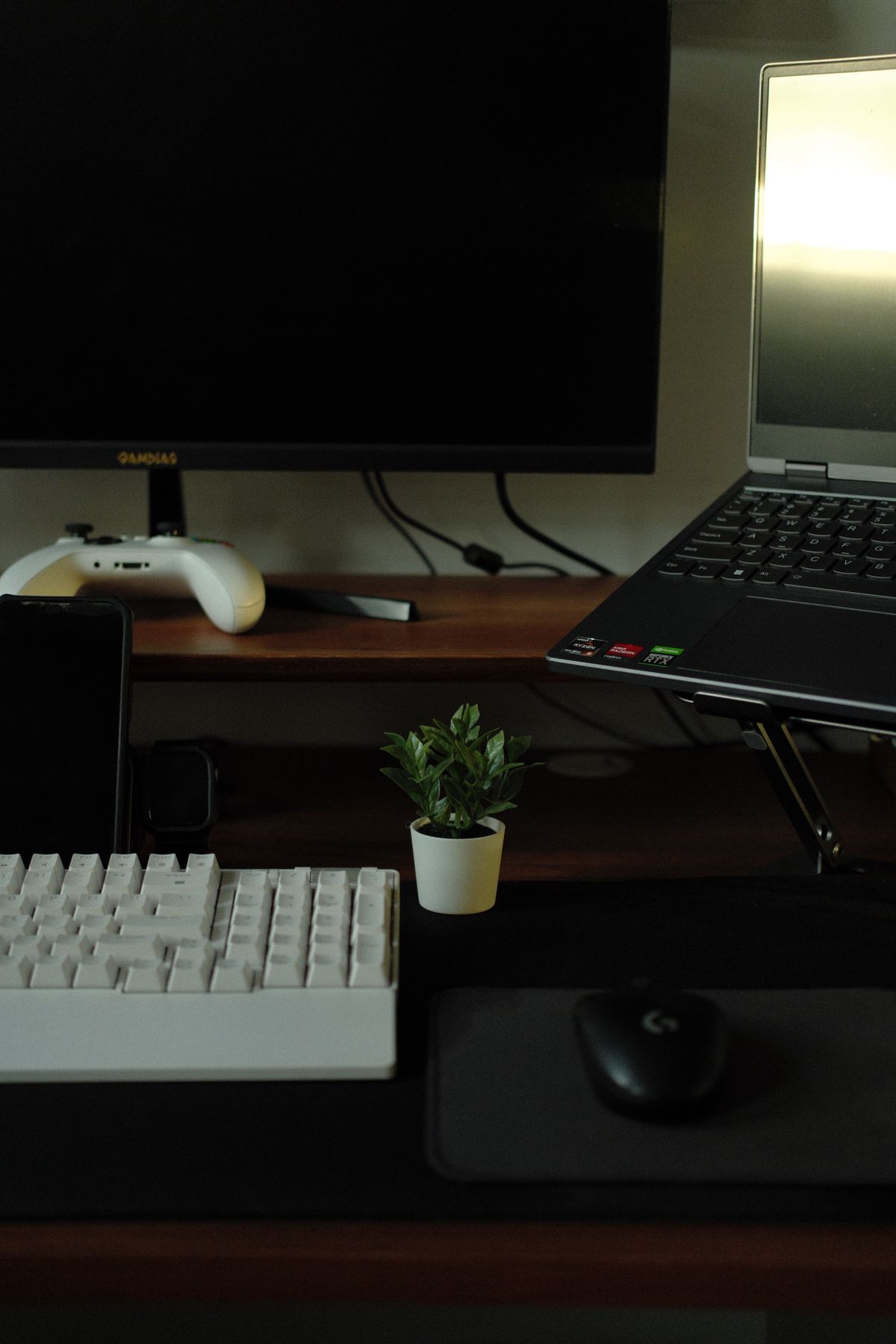
    Simple small PC setup for light games

    How I actually boost performance, without buying anything

    Nobody needs a shopping list here. The stuff that helped me, in the order I try it: first, I drop the resolution. That one change alone usually makes the biggest difference, even if the game looks a bit softer. Then shadows and fancy effects go down — reflections, particles, all the sparkly stuff that weak graphics hardware hates. If the game still feels laggy, I try turning off vertical sync, though fair warning, that can cause screen tearing, so I only keep it off if it genuinely feels better.

    Then the boring stuff that people skip: close the browser. I mean actually close it, not minimise it — a browser with a dozen tabs open eats a shocking amount of memory. Drivers: get them from the actual maker’s website for your graphics chip. Not from a pop-up promising to “fix your PC” — that road leads nowhere good. And heat: a laptop that’s warm and dusty gets slower without you noticing, particularly the ones that spend their lives on duvets and sofas. A quick clean and a hard surface underneath genuinely help. And for online games, a cable beats Wi-Fi when you can manage it — not always possible, I know, but the connection is steadier.

    And please, do not download those so-called FPS booster or game optimizer tools from unknown websites. I have seen what they do: mostly nothing, sometimes malware. The settings inside the game itself are the safest place to start, and they are free.

    What to avoid, because I have seen the other side

    Do not download a huge brand-new game just because it is free for a weekend or all over social media. Free does not make a demanding game less demanding — it will still need the hardware it needs, and you will just have wasted an evening downloading it. And stay away from cracked or repacked versions of paid games entirely. Those are illegal, they often carry malware, and they can get your accounts banned. I have watched a friend lose an account over a dodgy download, and no game is worth rebuilding all of that.

    Stick to the official places: Steam, the Epic Games Store, GOG, and official developer websites for open-source games like 0 A.D. And here is a rule I live by now: if a website tells you to turn off your antivirus to install a game, close that website immediately. That is not a small warning sign. That is the warning sign.

    Frequently asked questions

    Can a low end PC run free Steam games?

    Yes — otherwise this whole guide would be a waste of your time. My approach: older and lighter titles first, a quick read of each game’s own Steam page, and one download at a time rather than a whole wishlist at once. Begin with the lightest picks here and watch how your machine copes.

    What is the lightest free game to start with?

    There isn’t one, I’m afraid — old PCs age in their own weird ways, like old cars. My go-to first tests are Wesnoth or Brawlhalla: a slow turn-based game and a simple fighter are about the gentlest things you can throw at a machine, so within an evening you’ll know where you stand.

    Does turning settings down ruin how a game looks?

    They will look simpler, yes. I will not pretend otherwise. But here is the trade-off I made peace with years ago: a slightly blurry game that moves smoothly is far more fun than a beautiful game that stutters every three seconds, especially in anything fast. Smooth matters more than pretty, at least for me.

    Should I buy a new graphics card for free games?

    Not straight away, no. Try the lighter games and the settings in this guide first. If you still cannot run the games you actually enjoy after that, then an upgrade is worth thinking about — but for free and older games, a new card is often not needed at all, and I would hate for you to spend money you did not have to.

    Conclusion

    A weak PC is not the end of gaming. It just changes the question from “what is everyone playing?” to “what actually runs well on my machine?” — and that is a better question anyway. Team Fortress 2, Brawlhalla, Unturned, Battle for Wesnoth, and 0 A.D. are all free, legal, and playable without high-end hardware. Add the sensible settings — lower resolution, fewer effects, fewer background apps — and most people I know in this situation see a real improvement.

    My advice, the same advice I gave my cousin: start with one game. Test it properly, on a proper evening, not for five minutes. Then download the next one. That slow way saves storage, saves time, saves frustration — and slowly, without spending anything, you end up with a small library of free games that actually work on your PC. That feels better than a hard drive full of games you cannot play.

    Person enjoying a game on a laptop at home
  • Best Free PC Games on Steam in 2026

    Best Free PC Games on Steam in 2026

    Last summer my cousin brought his laptop round and asked me the question I hear every few months, just in new words. He had a PC, no money to spend on games yet, and wanted to know what was actually worth downloading. I showed him the free section on Steam, and he stared at it the way I did the first time — too many names, no clue where to start.

    Some of those free games are not filler at all. I know one player who has had the same shooter installed through two laptops and a house move. That is not a demo. That is a hobby.

    The catch is the opposite problem. A free game can be famous, well-made, and completely wrong for you. I once spent a whole night downloading a game, played for twelve minutes, and uninstalled it before midnight because I hated the combat. Free does not mean free of wasted evenings. And free rarely means everything is included — most of these games sell extras, sometimes whole chapters, so I always spend two minutes on the game’s own Steam page before I download, reading what is free and what is not. I used to trust old articles. Then a game I had bookmarked changed what was included for free, and I only found out after installing it. I only ever download from Steam itself — a school friend lost his account to a key-generator site, and no game is worth that.

    So this is not a ranking. It is a walk through the free Steam games that have lasted, and who tends to enjoy each one.

    Gamer playing a PC game with a controller

    How to choose, before you download anything

    My old laptop taught me this louder than any guide did. It ran one big shooter like a slideshow — characters jerking across the screen, the fan roaring so hard my mother asked from the next room if something was broken. I had not checked anything before downloading. I just liked the trailer.

    So now I slow down for about five minutes, which feels boring and saves me hours. I look at what the game actually sells. Cosmetics only? Or characters and passes and extra chapters? Neither one is automatically bad. But knowing which one matters, because the second kind can quietly change how the game feels after twenty hours, and if you ever catch yourself thinking you cannot progress unless you pay, walk away — there are too many other free games for one game to pressure you.

    Then I think about tonight, not gaming in general — like, literally tonight, after tea, before I start yawning. A shooter round fits into a gap before dinner. A strategy match cannot, or rather it can, and then dinner is cold. Who am I playing with — nobody, a friend on voice chat, or strangers I will never meet again? Those evenings feel nothing alike, and team games are less stressful with people you know, because someone will actually explain what went wrong.

    And the laptop question, again: does my PC run this comfortably, or will it just about run it while sounding miserable? The requirements sit on each Steam page. They are dull to read. Read them anyway, and check you have the storage room and a steady connection before starting a download you will have to abandon halfway. The older titles here will run on a modest PC without complaint. The newer shooters are a different story, and they will punish a weak machine.

    One last boring thing, and I only say it because I learned it the hard way through a mate. He clicked something that looked like a tournament signup, typed his password in, and then spent weeks locked out — mates list gone, saves gone, everything. So: proper password, that extra Steam Guard step on, and if any site that isn’t Steam itself asks you to log in, just close it. I turned Guard on the week he got locked out. Haven’t touched it since. And honestly, the game’s own tutorial taught me more in twenty minutes than three random videos did — half of those videos were for an older version anyway. And decide your spending limit before you play, including zero.

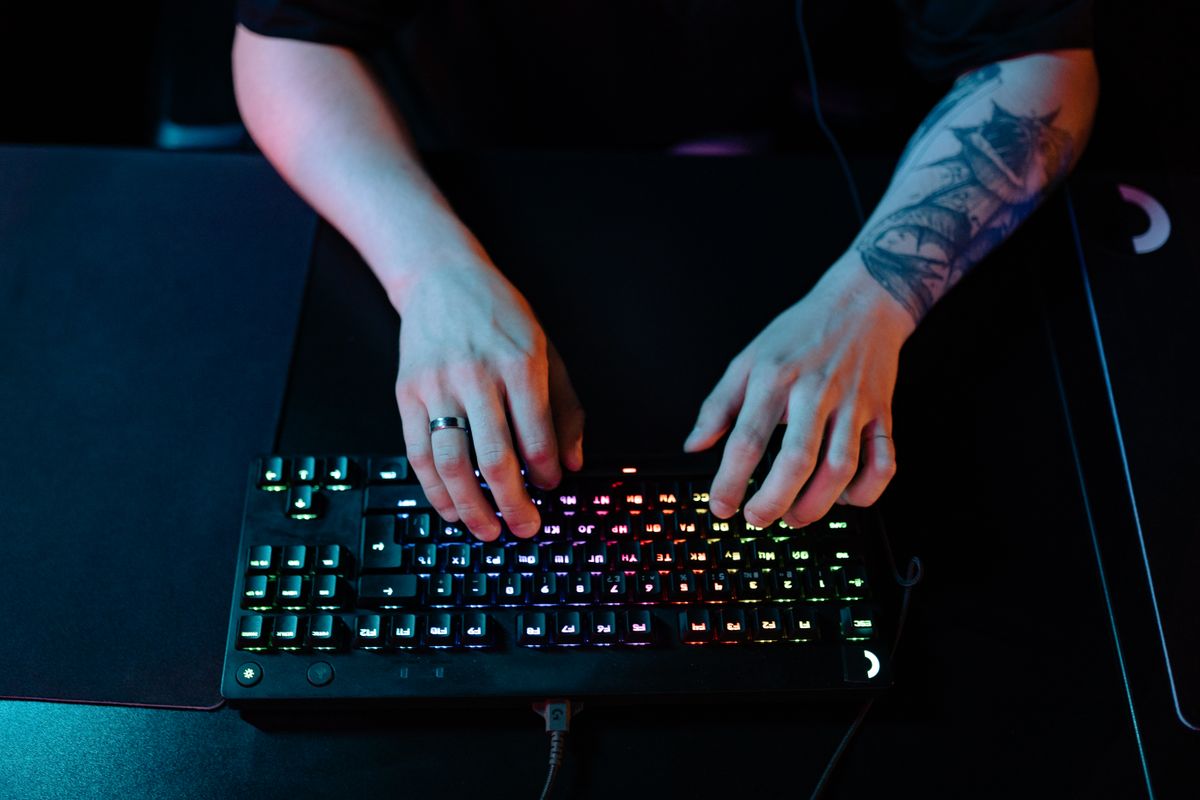
    Gaming keyboard and mouse on a desk

    At a glance

    Game What it is Why it stands out
    Counter-Strike 2 Five-minute rounds where one slip ends it Keeping a steady hand while the whole lobby starts shouting.
    Apex Legends Drop in, grab gear fast, last squad standing Weekend games with my cousins where we mostly lose but keep queuing anyway.
    Team Fortress 2 Old, daft team shooter My after-work, no-pressure pick.
    Dota 2 Five-on-five hero game Still confusing me months in, honestly.
    Path of Exile Grim loot RPG Tinkering with a character for hours.
    Warframe Space co-op, lots to unlock Figuring out new stuff bit by bit, with mates.

    Shooters

    Counter-Strike 2 — my doorway disaster

    One corridor. Two seconds. That is Counter-Strike 2 at its most honest. Two teams, one attacking and one defending, and rounds that end almost before you have settled into your chair. I remember my first proper match: I was holding a doorway, convinced nothing was happening, and then three enemies arrived at once and I was dead before I had worked out which key was crouch. My teammate, bless him, just chuckled down the mic and went, yeah, that happens to everyone at first.

    Honestly, it’s all about not flinching. My hands shook all my first week — then I learned to just breathe and hold still. Caught in the open? You’re done, no fancy trick saves you. One wrong step and my whole squad groaned in chat. Some people find that pressure unbearable. On a good night, though, that harshness is exactly why I queue again.

    New? I lived in casual for a month before touching ranked. Ranked will wait. Learn one map until you can move around it without thinking, then a second one, and watch one short beginner guide — the useful ones are ten minutes long, not an hour. Nobody gets good at this quickly.

    Apex Legends

    Apex is different energy entirely. You drop into a map with a squad, grab weapons and gear as you go, and try to be the last team standing. Each Legend — the character you pick — has their own ability, so who you choose actually changes how the team plays.

    Matches move fast. Moving around just feels… loose, in the best way — like you’re sliding, not running. First time I tried a battle royale I expected to be lost, but after two matches I actually knew what I was supposed to be doing, mostly.

    It is miles better with friends, though. Talking to your squad changes everything. If you are playing solo, use the ping system — mark enemies, mark loot, mark where you are heading. You do not need a mic to be useful. I played for ages just pinging.

    Friends playing multiplayer games on PCs

    Team Fortress 2

    Team Fortress 2 is older, sillier, and — this is meant as a compliment — a bit of a mess in the best way. You pick a class. There’s Scout, there’s Soldier, Medic, Engineer — you get the idea, a whole odd bunch. Swap class and honestly it’s like you’ve loaded a different game — same map, totally different job.

    Some people love it precisely because it is less serious than the modern shooters. There is no ranked ladder breathing down your neck. You can just mess around, have a laugh, and log off. I come back to it when I want team play without the pressure.

    Because it is older, it also tends to run on a wider range of PCs than the newer stuff. Still worth a quick look on Steam first, mind — just to see what it asks for these days, and if folks near you are still on it.

    Strategy, and games that take ages to learn

    Dota 2 — eleven minutes in, and I was lost

    Eleven minutes. That is how long my first Dota 2 match lasted before I realised I had no idea what I was doing, and my team had realised it several minutes earlier. Two teams of five, each player controlling one hero, each hero with abilities that change the fight completely, and one base to destroy at the far end of the map. Simple to describe. Brutal to learn. The depth is why people stay for ten years, and also why new players quit in an afternoon — the first matches feel like being dropped into a conversation halfway through.

    What actually helped me, after the embarrassing start: bot matches, with nobody watching, where I could make mistakes in peace. Then one hero, played over and over, instead of a new one every match. I picked a support hero, stayed near my teammates, and slowly learned the rhythm — when to push, when to back off, when a fight was already lost. The official guides did that job fine. And if some random in chat drops a link offering paid coaching, ignore it — I mean, properly ignore it, don’t even click.

    Path of Exile, and that midnight link

    It was past midnight — my phone buzzed, and it was that mate who never sleeps properly, sending me this massive guide, like forty pages, for a game I’d never even opened. His whole message was just two words: trust me. So, Path of Exile. Grim world, Wraeclast, you slog through area after area, hoovering up loot, fiddling with skill gems and gear until your character either finally works, or, more often at the start, completely falls to pieces. Then one drop lands — one random bit of gear — and suddenly the weak build you’ve been nursing feels dangerous. That’s the hook, right there. That’s also why it’s not a pick-up-and-play evening game: it wants your time, and it wants you to actually read stuff.

    So, yeah, read first. I gave myself one evening just to get my head round how skills work, before I even tried to wing it — winging it left me stuck halfway through an area with a character who couldn’t cope at all. I stuck to one mate-recommended guide for my first character and ignored everything else. Skipping ahead just left me stuck, staring at a boss I couldn’t scratch.

    Warframe

    Space ninja sounds ridiculous until you are actually playing it, and then it sounds about right. Warframe puts you in control of an armoured warrior with powers, and sends you on missions with other players — shooting, slicing, collecting resources, unlocking new frames and weapons, and slowly discovering another system underneath the one you just learned. My first frame was the plainest one they give you, and I did those first Earth missions thinking, right, got it, this is the game. Seven days later I was up late reading about mods and relics and something called a clan dojo, thinking, oh, I haven’t even started properly.

    That slow, piece-by-piece way the game opens up is exactly what kept me coming back after the first week, even though I can see how it would wear someone down if they just want everything explained on day one and then left alone to play. I remember finishing a mission, unlocking a new screen full of words I did not recognise, and instead of feeling lost I felt curious enough to look one of them up, then another, and then realising an hour later that I had spent the whole evening reading about upgrade systems instead of actually shooting anything. If you need a single, complete guide that lays the whole game out in order before you start, this one will probably frustrate you, because it never really does that; it gives you a little, lets you play with that little, and only later hands you the next piece, and that rhythm — learning something, using it for a few days, then discovering there was a whole system hiding behind it that changes how you build your character — is either the best part of Warframe or the reason you will put it down. For me, the easiest way in was still the early story missions, because they introduce things gradually rather than all at once, and joining a clan sooner than I did would have helped even more, because after months of stubbornly playing mostly alone, the experienced players in my first clan week answered, without any fuss, questions I had been stuck on for ages.

    Gaming headset on a desk next to a monitor

    One last thing

    My rule now is three evenings, not three minutes. A game gets three proper evenings before I decide, because the first hour lies to you. At first the controls feel all wrong, you haven’t got a clue what you’re meant to be doing, and honestly nothing adds up yet. Third evening in, though, you’ll know — either it’s clicked, or it hasn’t, and if it hasn’t you can delete it and not feel bad, because you did give it a proper go.

    If I had to start from scratch tonight — like, fresh install, no idea — I’d grab one game, two at the absolute most, and give them those three evenings I keep going on about. Steam only for the download, obviously. Then see which one is still in your head the next morning while you’re meant to be doing something else. War Thunder and Destiny 2 are worth that same three-evening test too, if tanks or story missions with mates sound more like you — but one game first, not five at once. And once you know what sort of evening you actually want, that genre filter on Steam’s free section is genuinely useful, I wish I’d used it sooner.